
If you're receiving the message 'The Search Appliance is down. Please try again later.' when trying to search the Law Portal using Chrome please follow these steps.
First click the site information icon next to the current URL in your browser. Then click "Reset permission" below "Local network".
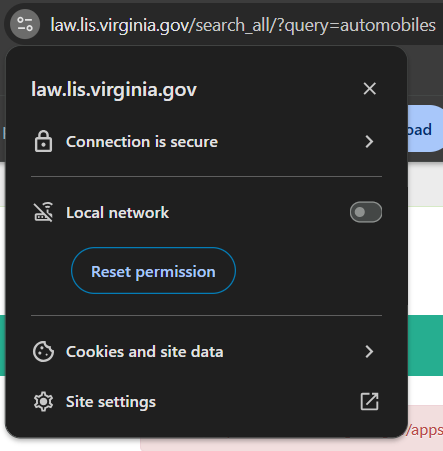
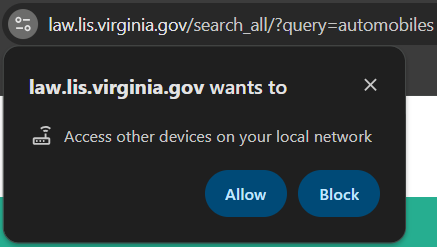
When you refresh the page you should receive this popup. Click "Allow" then retry your search.
If you're having difficulties with these instructions you can try clicking this link to force a reset of your browser permissions: Reset Search Appliance Permissions (Opens in a new tab)
If you are still experiencing issues after following these instructions please contact the DLAS helpdesk, or attempt your search using the Firefox browser.
